

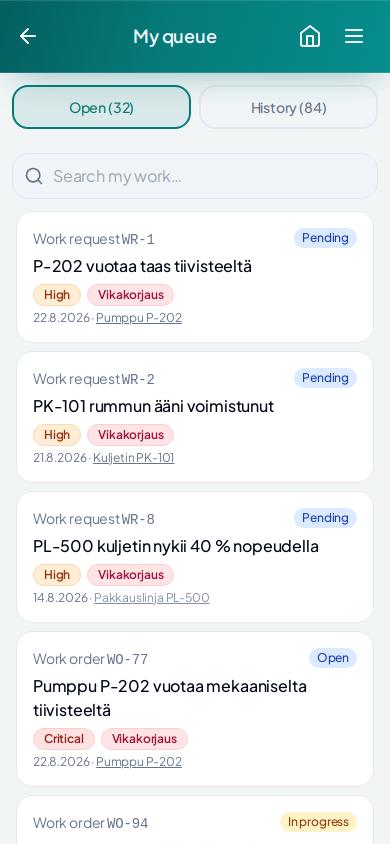
No shared work queue
Requests, open work, owners and priorities are not visible at a glance.
Kare Maint
Maintenance, service and technical lifecycleKare Maint combines work requests, maintenance work, preventive maintenance, assets, spare parts and service history in one practical work environment.
For internal maintenance, service operations and follow-up of delivered equipment — information stays around the right asset throughout its lifecycle.

Requests arrive through different channels, preventive maintenance lives in calendars, asset history is hard to find, and information breaks easily between people or organisations.
Requests, open work, owners and priorities are not visible at a glance.
Preventive work and inspections do not turn into controlled work for the right assets.
Completed work, faults, documents and observations do not accumulate into one asset-specific view.
Maintenance, customer, supplier and lifecycle information easily end up in separate systems and messages.
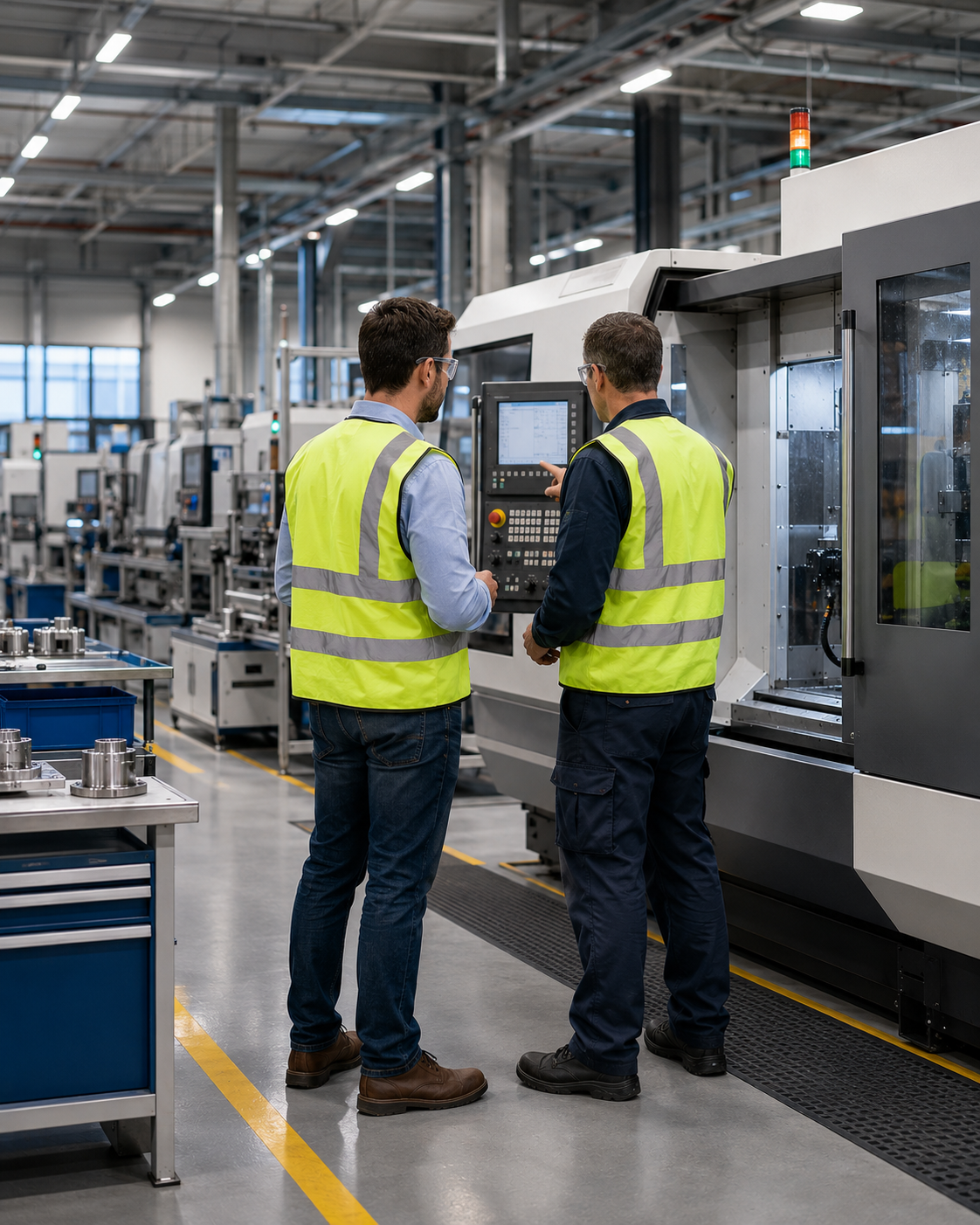
Request, ownership, execution and asset history stay in the same chain. After the work is done, the information remains part of the asset's technical history.
A work request from staff, a customer or directly from the asset.
Set the asset, priority, owner and required resources.
Record work, hours, materials, observations and documents where the work happens.
Completed work becomes part of asset history, fault follow-up and later lifecycle management.
Requests, responsibilities, priorities, hours and materials in one work queue.
Maintenance programmes create recurring work and inspections for the right assets at the right time.
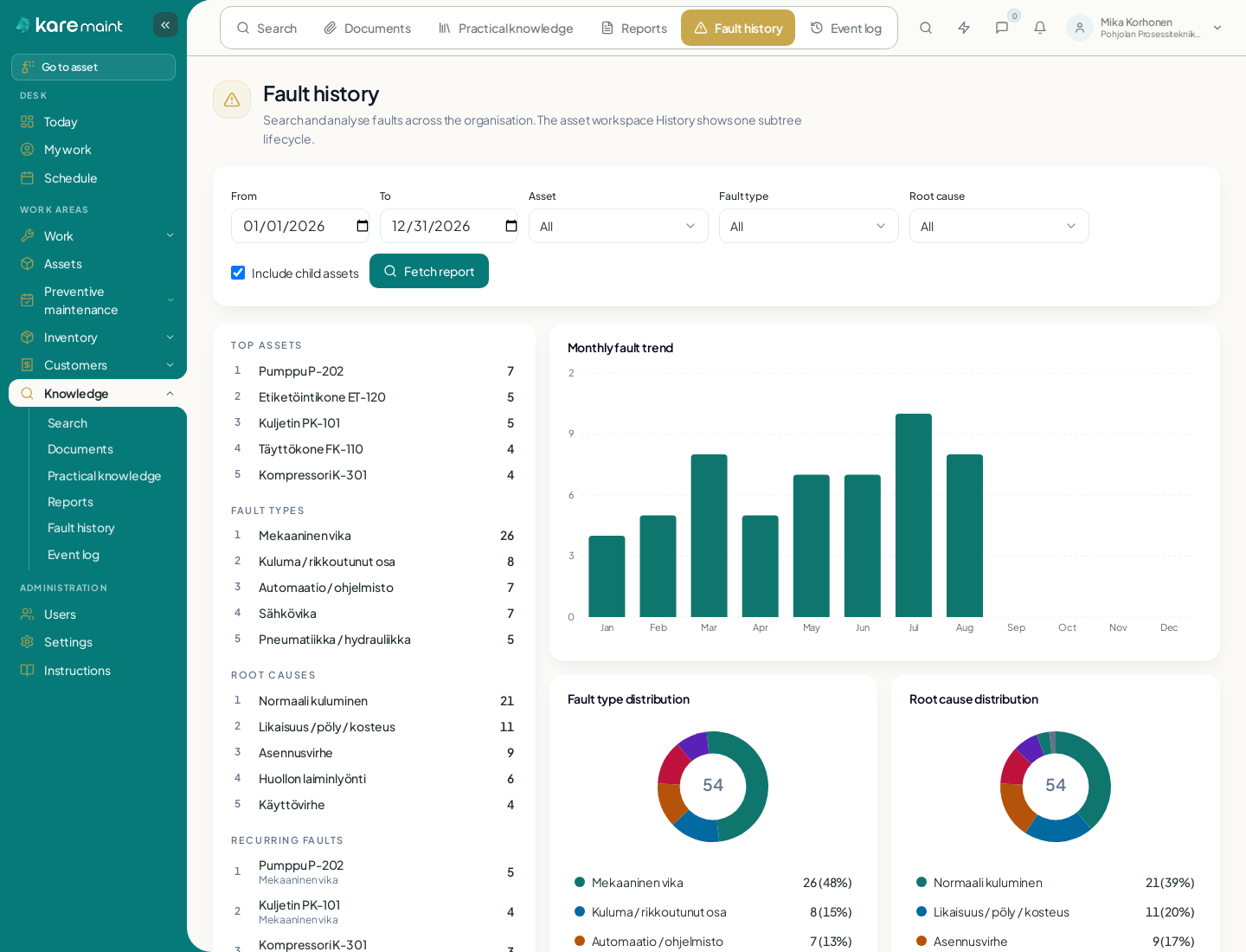
Hierarchical asset register, completed work, faults, causes and recurrence follow-up.
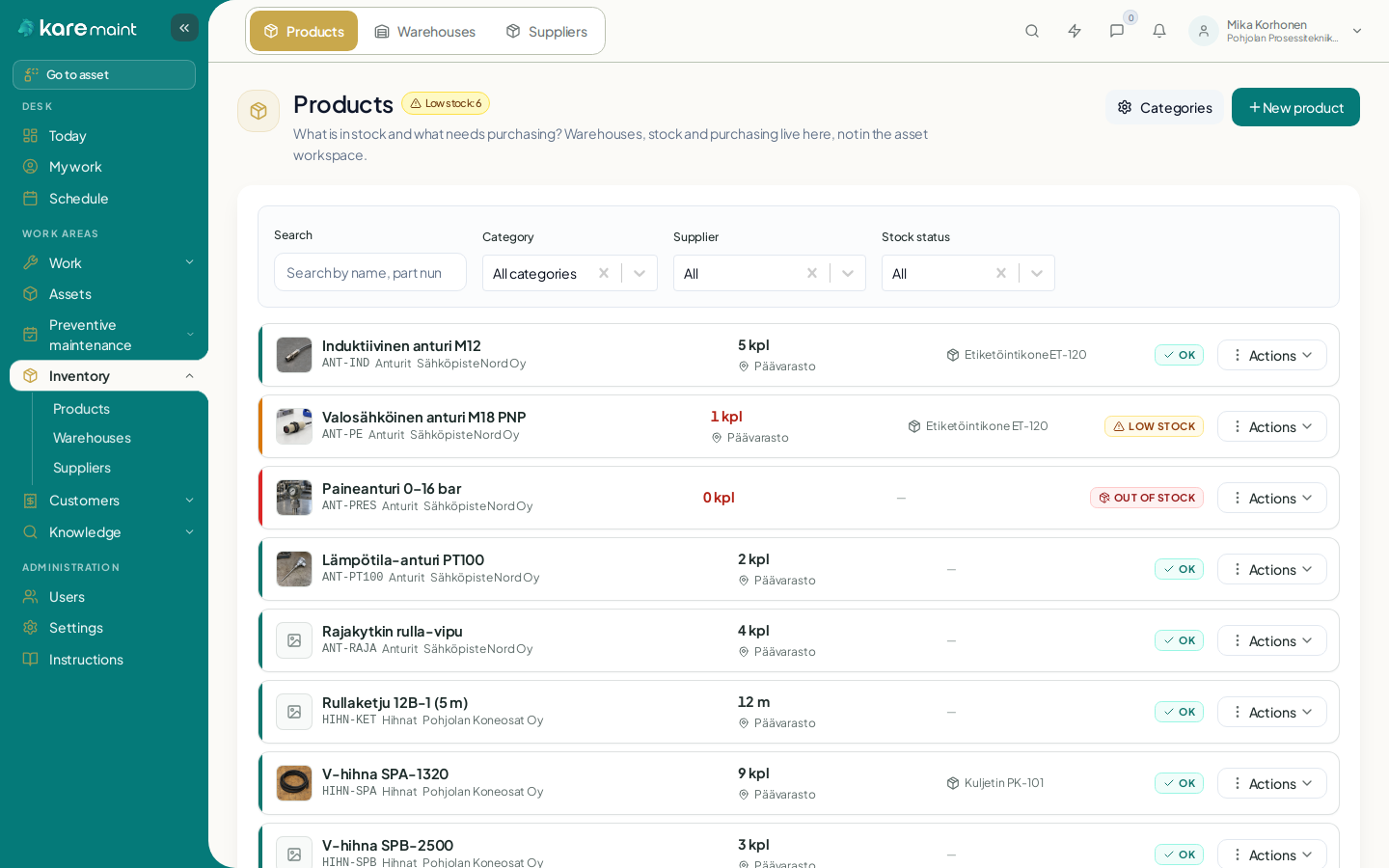
Stock, purchasing and usage stay linked to the work and the correct asset.
Instructions, documents and field knowledge stay in the right technical context.
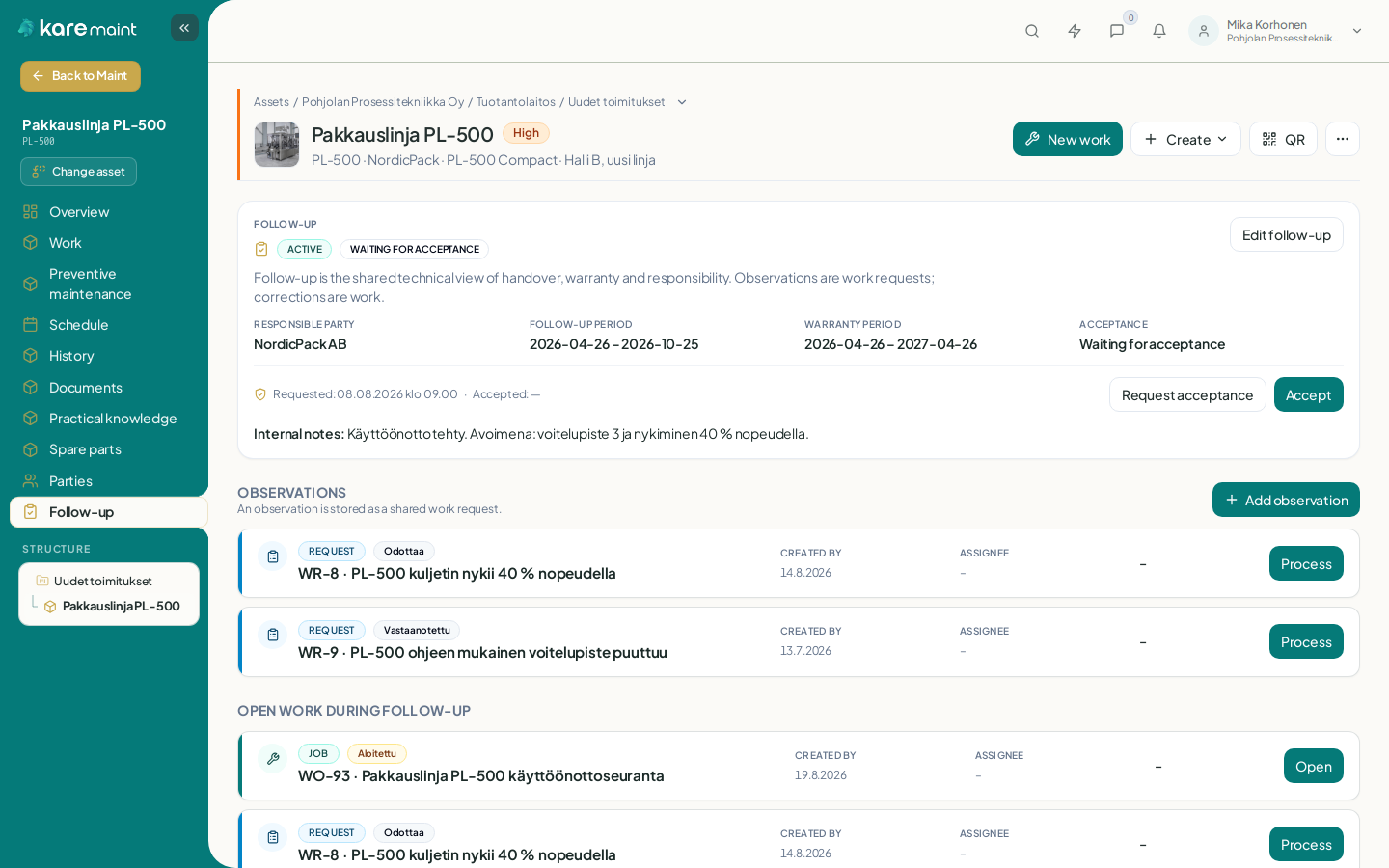
Service operations and technical lifecycle follow-up can continue safely across company boundaries.
Conversation stays connected to work, customers and other Maint contexts.
Relevant events surface in the application and selected channels without constant manual checking.
Requests, maintenance work, ownership and priorities stay in the same queue — whether the need comes from internal maintenance or a customer.
Work details, materials, observations and history stay connected from start to finish, around the right asset.
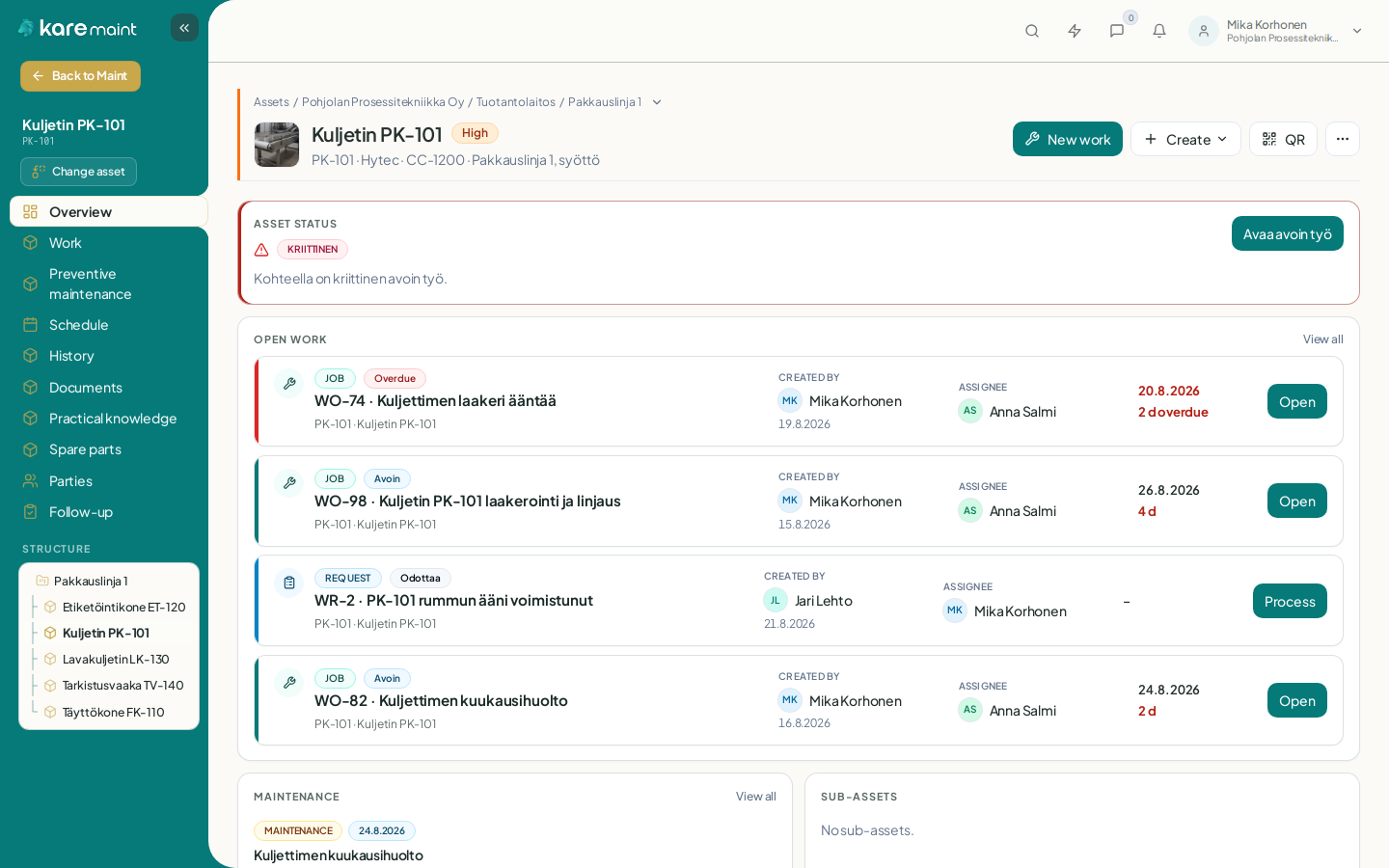
Each person sees their queue and what should be done next.
Open, active and waiting work is visible without separate tracking lists.
Hours, materials, observations and documents stay in the work context.
Completed work becomes part of the asset's technical history.
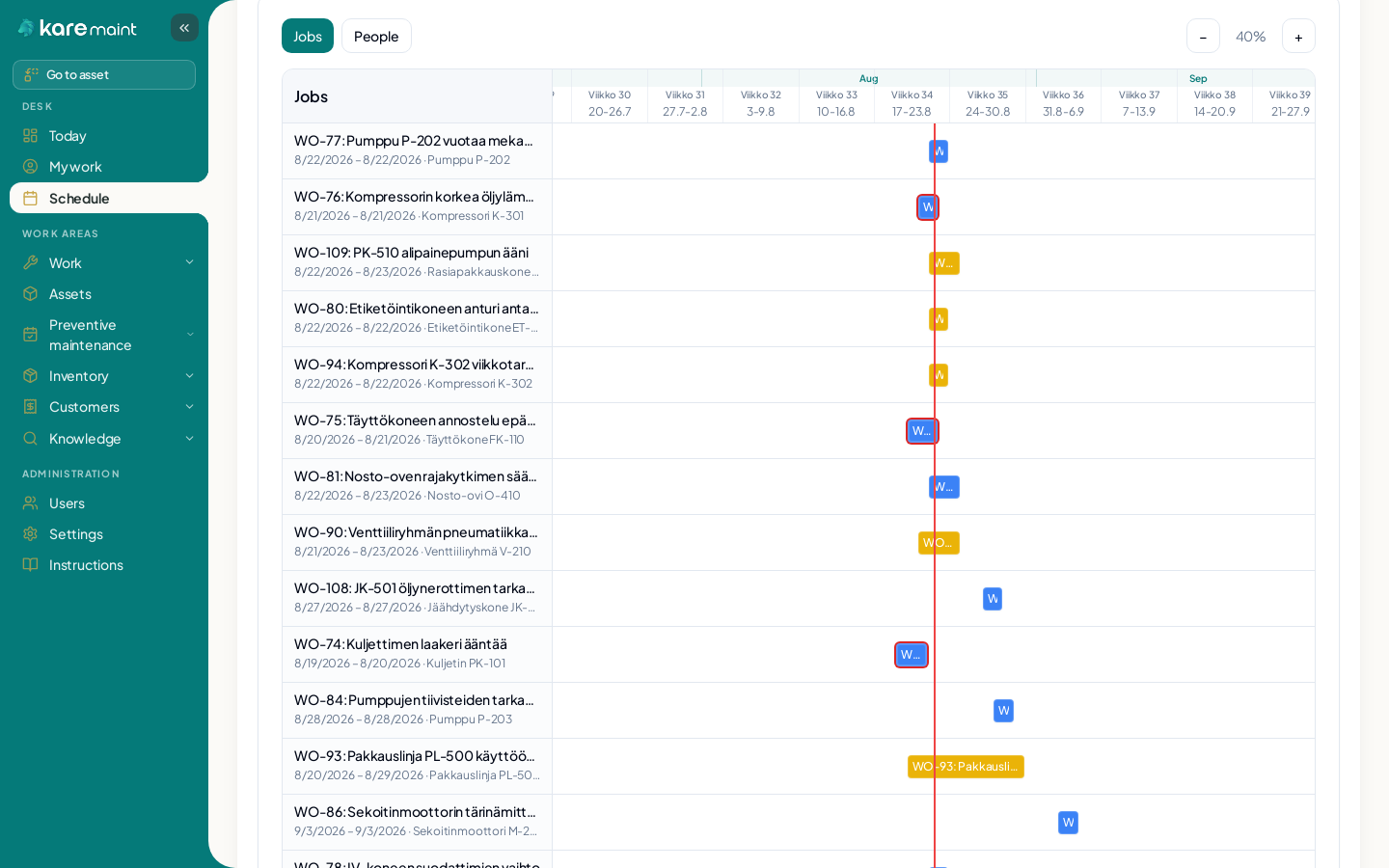
Maintenance programmes create recurring work and inspections for the right assets. Due dates, execution and history stay together — the schedule also shows work of different lengths and overlapping jobs.
Technicians see their own work and record execution on mobile. A QR code can take them directly to the correct asset or work request.
Work, faults, documents, observations, spare parts and preventive maintenance create a continuous asset history. Fault history also helps identify recurring problems and where they concentrate.
Work, preventive maintenance, history, documents, practical knowledge and spare parts are available around the same asset.
An organisation-wide view shows where faults concentrate and which causes repeat.
Follow-up of delivered equipment or sites can continue with customers and other participants without opening the whole Maint environment to them.
All Kare Maint features are included. Pricing is based on the number of active users.
Small teams
€129/mo
VAT 0%
Growing organisations
€199/mo
VAT 0%
Larger environments
€299/mo
VAT 0%
We can go through your current maintenance or service model and see how work, assets, preventive maintenance and technical lifecycle information should fit together.