



From delivery to operation
Open commissioning items do not disappear when the project ends.
One shared picture
Owner and supplier see the same responsibilities, waiting states and decisions.
Lasting history
Disturbances, maintenance, solutions and documents remain for the lifetime of use.
Organisations that keep collaborating after delivery
Equipment makers and system suppliers
Post-commissioning follow-up, customer collaboration and lifecycle services in one workspace.
- Open items stay after handover
- Technical history supports service
Factories and production companies
A lasting view of what happens on the equipment, who owns each issue and what is expected next.
- Equipment-level technical memory
- Invite suppliers into shared follow-up
Integrators and lifecycle partners
Multi-party collaboration, responsibilities and decisions in one asset workspace.
- Parties, roles and waiting states
- History survives staff changes
Without a shared workspace, knowledge fragments
Typical today
- Open items live in separate spreadsheets
- Disturbances stay in calls and messages
- Decisions hide in email threads
- Document versions are uncertain
- Staff changes erase context
How collaboration works in Kare Follow
Log an observation or disturbance
One-click disturbance entries. Structured follow-up items with ownership and handling stages.
Investigate and agree a solution
Both parties see the same status, waiting state and agreed actions.
Implement and verify
Solution, implementation and verification become part of the equipment history.
Keep the technical memory
Maintenance, documents, decisions and lifecycle events remain findable years later.
What the shared workspace covers
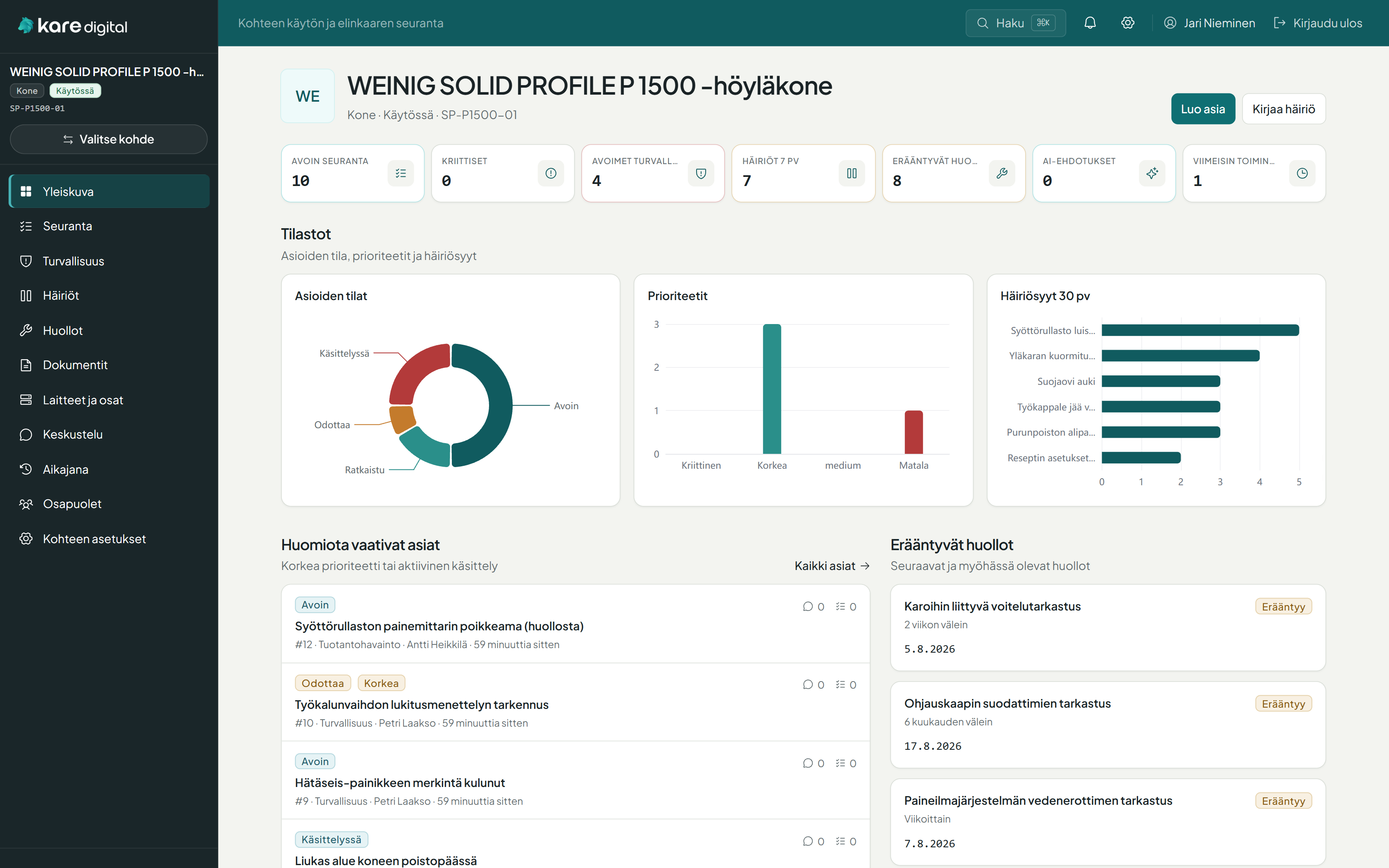
Equipment status at a glance
Open items, disturbance trends, due maintenance, safety and recent activity in one view.
- Attention items and ownership
- Disturbance and maintenance summary
- AI suggestions for human review
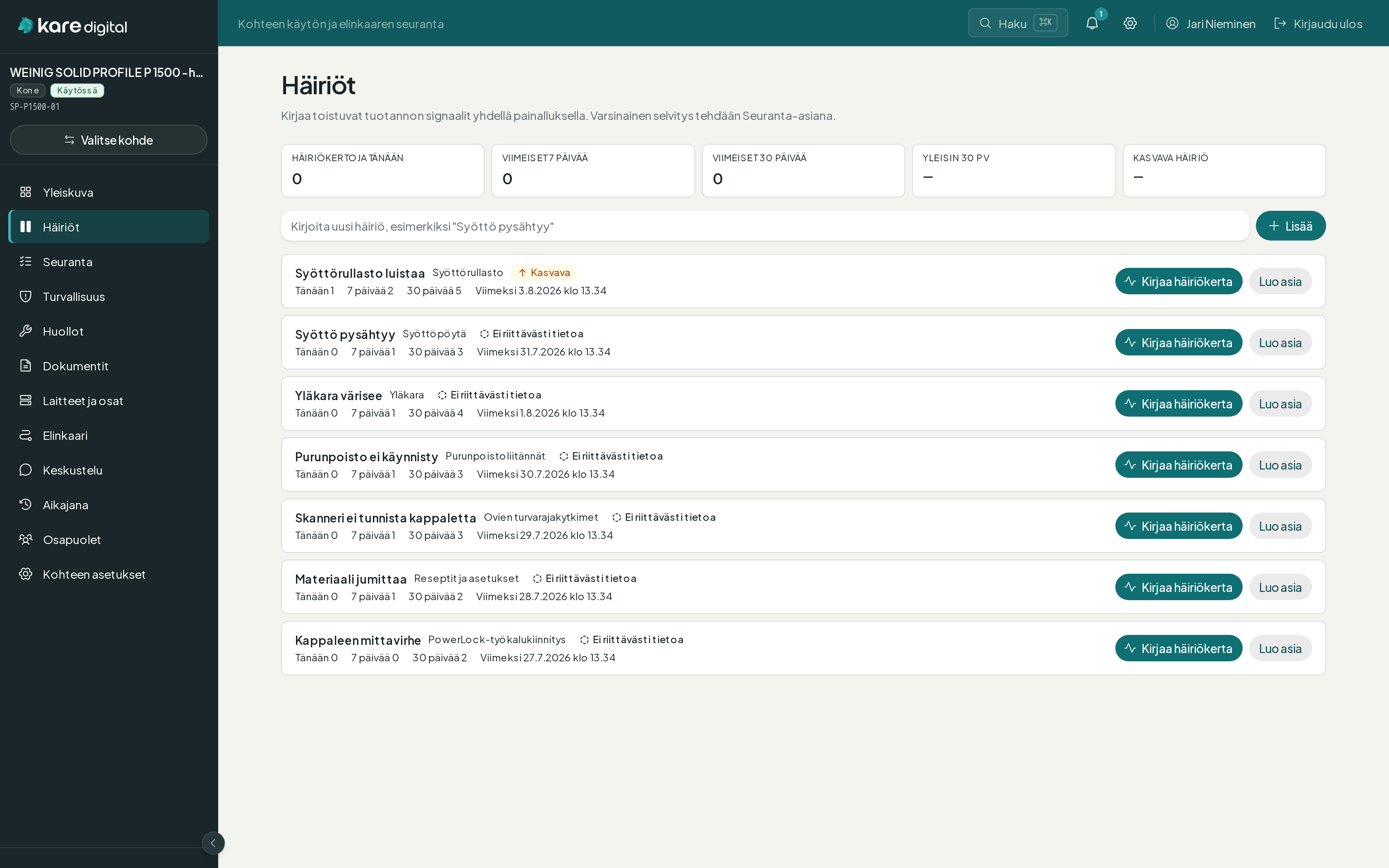
Digital disturbance counter in one click
Log recurring production signals quickly. Investigation rises to a follow-up item when the trend warrants it.
- Named disturbance + occurrence
- Today / 7-day / 30-day counts
- Rising / stable / falling trends
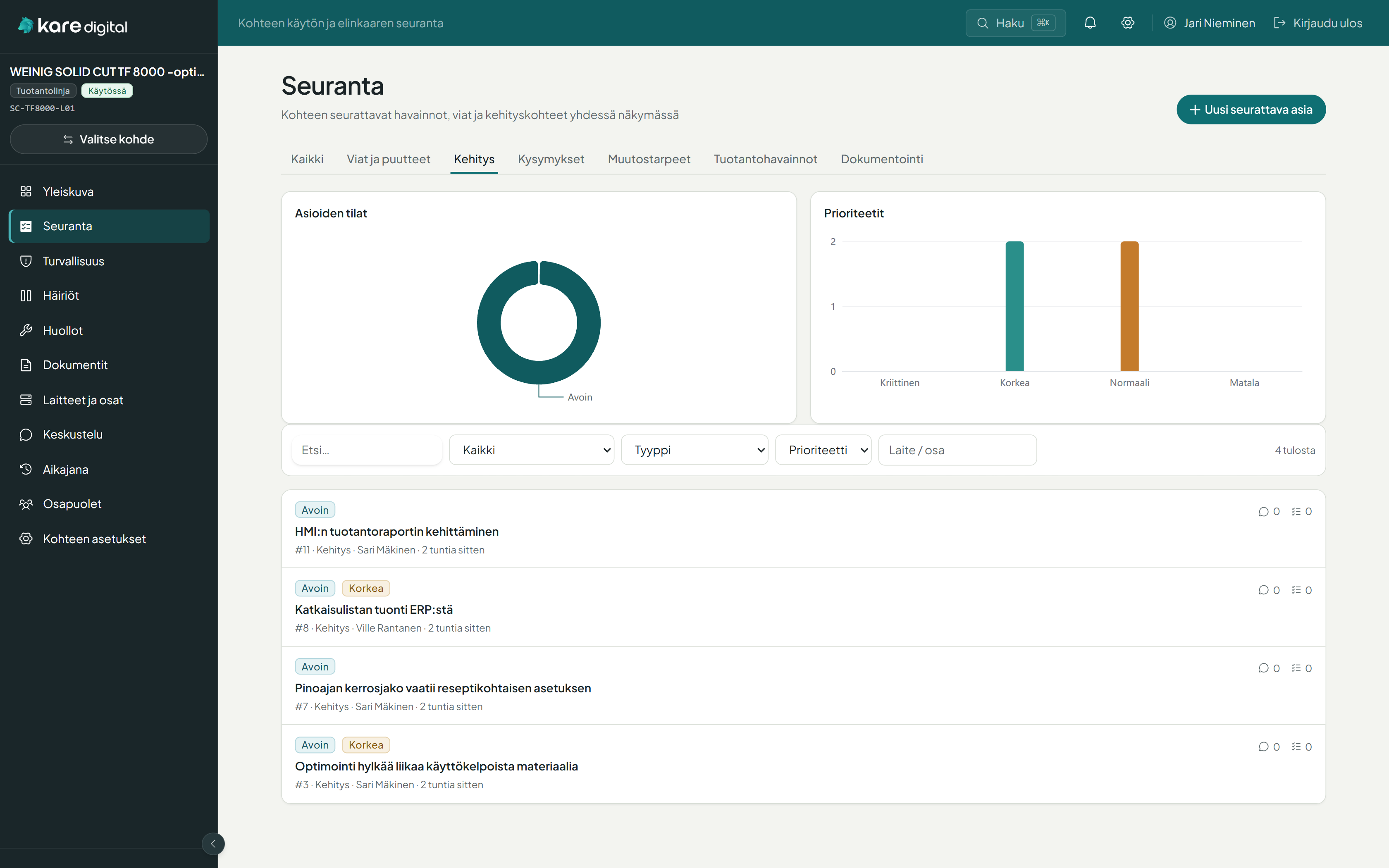
From observation to verified solution
Faults, questions, change needs and ideas handled structurally — ownership and waiting states visible to both sides.
- Handling chain: observation → solution → verification
- Work queues: mine, waiting, overdue
- Comments, actions and attachments
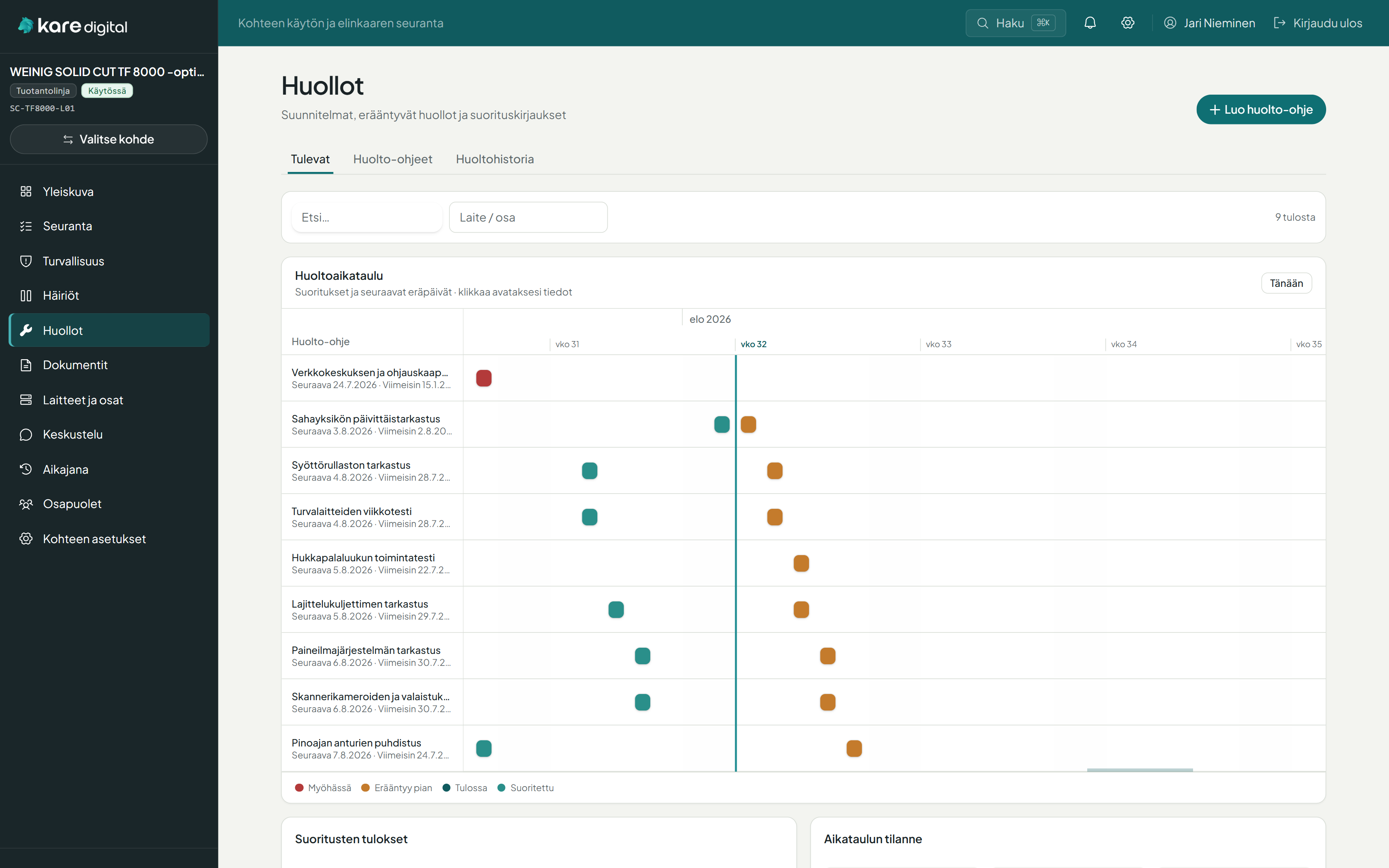
Knowledge linked to the right component
Items, disturbances, maintenance, documents and decisions live on the machine and part they belong to.
- Hierarchical component tree
- Component hub for related context
- Versioned technical documents
From commissioning to years of operation and modernisation
Follow-up & safety
- Open items, priorities and ownership
- Handling chain and waiting states
- Safety observations and risk levels
- Verification gate for critical findings
Disturbances & maintenance
- One-click disturbance logging
- Trends and recurrence detection
- Maintenance instructions and checklists
- Maintenance records as immutable snapshots
Documents & structure
- Versioned document bank
- Component tree and component hub
- Lifecycle milestones
- Unified activity timeline
Collaboration & access
- Owner, supplier and subcontractors
- Role- and capability-based access
- Notifications and digests
- AI suggests — humans decide
Start from either side
The workspace can be administered by the supplier or the owner. Shared information and transparent working practice stay the same.
Supplier-led
Post-commissioning follow-up continues as part of the customer relationship and lifecycle service.
- Open commissioning items
- Aftercare and customer contact
- Technical history for service
Delivery → Commissioning → Aftercare → Lifecycle service
Owner-led
The owner invites suppliers into shared follow-up and keeps knowledge for the full lifetime of use.
- Equipment-owned technical history
- Suppliers join shared follow-up
- Maintenance, disturbances and documents together
Equipment → Supplier invited → Shared follow-up → Lasting history
Kare Follow focuses on shared technical memory
Follow includes
- Follow-up items, ownership and handling chain
- Disturbance logging and trends
- Maintenance, safety and documents
- Component structure and lifecycle
- Owner–supplier collaboration
Not included out of the box
- Full ERP or broad CMMS
- Production scheduling
- Automatic OEE / SCADA collection
- Inventory / spare-parts stock
- Automatic invoicing
A shared workspace built for industrial day-to-day work
- Manual logging is exceptionally fast — one click for a disturbance occurrence
- Workspace is the security boundary: only invited parties see the data
- AI suggests, humans decide — source data is never silently changed
- Finnish UI and direct access to the software developer
- Works alongside Maint, Pulse and Flow
Priced by workspaces and users
Kare Follow is priced per deployment: number of workspaces, users and onboarding scope. We review your needs and provide a clear proposal.
Kare Follow
- Shared workspace per machine / line / delivery
- Follow-up, disturbances, maintenance, safety and documents
- Onboarding and training as needed
Let’s see how Kare Follow fits your equipment collaboration
We walk through your current operating model and show how owner and supplier can share the same live status, responsibilities and technical history.
Request a demoGet in touch
Tell us briefly about your situation. We will get back to you as soon as we can.