Kare Digital
Kare Pulse

Production lost-time tracking

Production is down — do you know why?

Kare Pulse automatically measures when production is running and when it is stopped. Stop reasons are recorded by staff — reporting is based on measured data and real production events.

Signals from production Utilization and lost time Reason classifications Lightweight onboarding Built for industry
01
Signals from production
Each production point sends a signal describing progress to the field data collection device.
02
Stops from signals
The system detects downtime using thresholds and monitoring schedules.
03
Reasons by classification
Staff select a reason and add detail — utilization is based on classifications.
pulse.karehub.fi
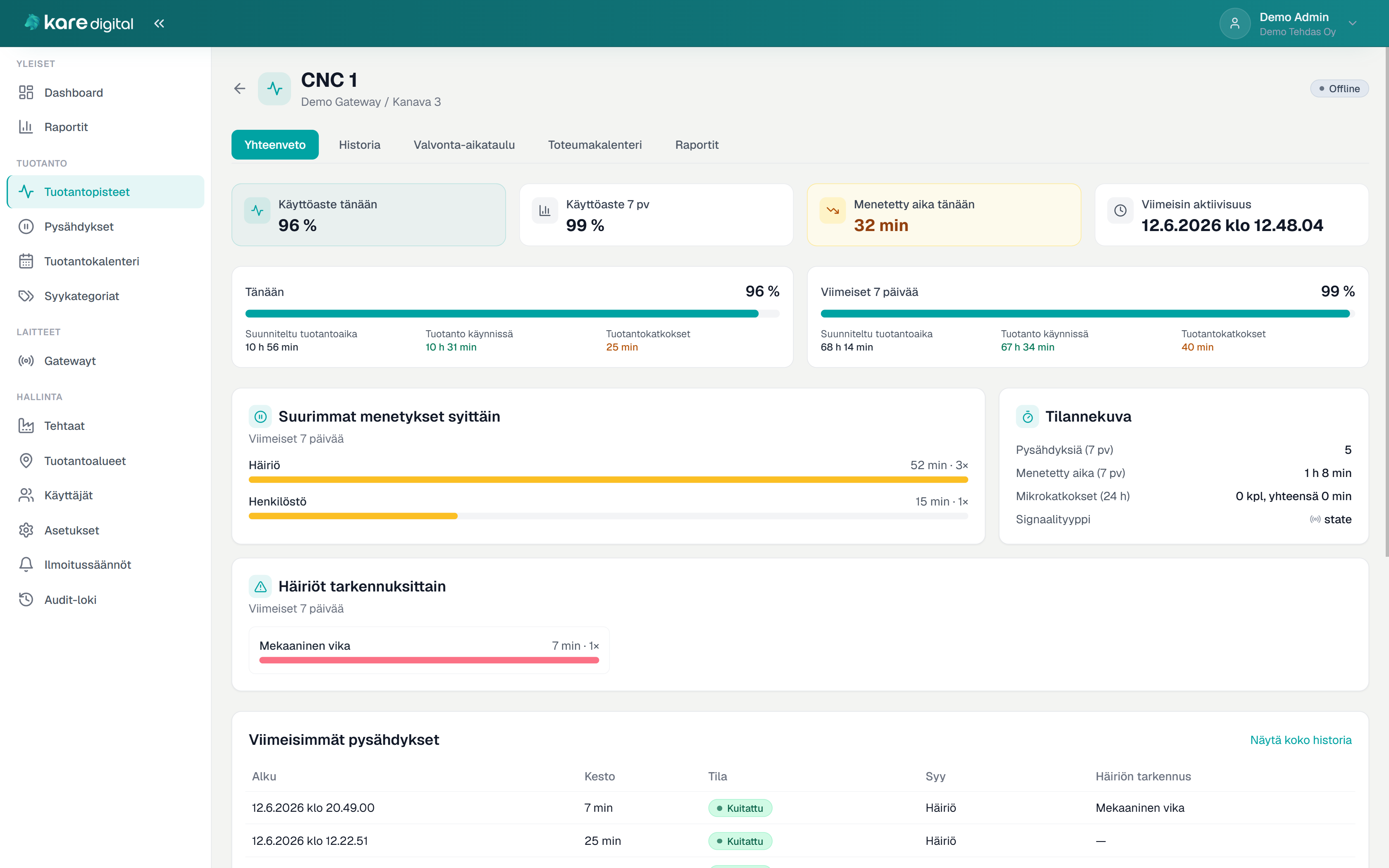
Kare Pulse — production point

Production point summary — utilization, lost time, AI analysis, and unclassified stops
Kare Digital Kare Pulse

Who it is for

For manufacturing companies that need lost time visible quickly

Shop-floor production

Lines, cells, and machines. Signals from automation to software — utilization captured without manual logging.

  • State, pulse, and heartbeat signals
  • Lost time daily and weekly

Production management

Plant-wide status at a glance: where production runs, where it stops, and why time is lost.

  • Dashboard and top losses
  • AI analysis for any period

Shifts and responsible users

Classify stop reasons according to responsibilities. Reminders for unclassified stops.

  • Quick classification from the list
  • Mobile classification in the browser

Problem it solves

When lost production time stays invisible or relies on estimates

Typical current state

  • Production stops are not tracked reliably
  • Stop reasons are not recorded systematically
  • Utilization is based on estimates, not measured actuals
  • Management cannot see where time is really lost
  • A heavy MES project feels too big as a first step

Solution in practice

How Kare Pulse works day to day

1

Signal from production point

One signal describing production progress is sent from each machine, line, or cell.

2

Automatic detection

The gateway mirrors channels to the cloud. The system creates stops based on thresholds.

3

Classifications

Responsible users record reasons. Reminders for open stops.

4

Analytics

Utilization, lost time, and reasons appear in reports and AI summaries.

Field hardware

The gateway collects signals and mirrors them to the cloud

Production point signals are brought to the gateway through industrial I/O. The device builds a secure connection to Kare Pulse — without VPN or inbound ports opened in the customer network.

  • Digital signals directly from production
  • Real-time mirroring to the cloud service
  • HTTPS outbound from the customer network
  • Built on Phoenix Contact CX8200
Phoenix Contact CX8200 gateway CX8200 gateway
Kare Digital Kare Pulse

Features

From signal to report — one whole

Monitoring and signals

  • Run/stop monitoring per production point
  • Automatic stop creation
  • State, pulse, and heartbeat signals
  • Gateway-based data collection

Classifications and reasons

  • Stop reason recording
  • Reason categories and disturbance details
  • Unclassified stops in one list
  • Email reminders

Views and analytics

  • Dashboard for real-time status
  • Utilization tracking
  • Production calendar on a timeline
  • AI analysis for any date range

Structure and use

  • Factories, areas, and production points
  • HTTPS outbound from customer network
  • Finnish and English
  • Complements MES/ERP/CMMS environments

Why Kare Digital

Industrial reality and lightweight onboarding — not a heavy MES project

  • Practical development from real shop-floor situations
  • No VPN or inbound open ports
  • Complements existing MES, ERP, or CMMS environments
  • Signals, gateway hardware, and cloud service as one solution
  • Support in Finnish and direct contact with the developer
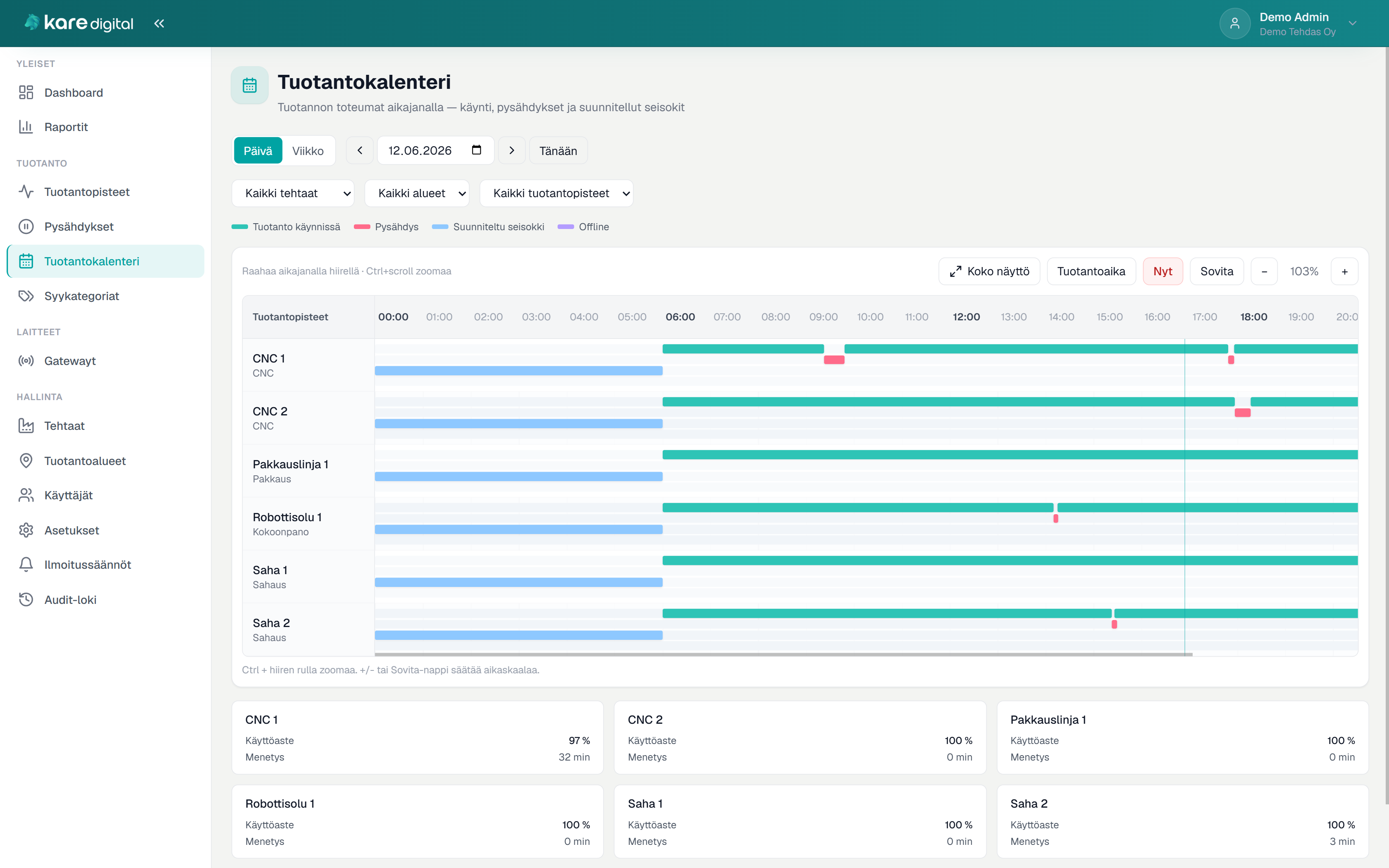
Kare Pulse — production calendar

Production calendar — signal chart separates running time, stops, and planned downtime