Kare Digital
Kare Maint

Industrial CMMS system

Maintenance work, preventive maintenance, and history in one system

Kare Maint combines work requests, work orders, preventive maintenance, asset registry, spare parts, and service history. Supervisors see the full picture and field teams log work directly to the correct asset — on a phone or computer.

Work requests and work orders Preventive maintenance Assets and service history Spare parts and materials QR and mobile for field work
01
Work queues stay in control
Work requests, open tasks, ownership, and priorities are visible at a glance.
02
Maintenance is not left to memory
Preventive maintenance is created from plans and recurring tasks are completed on time.
03
History is available per asset
Completed work, faults, materials, and inspections are stored in each asset's history.
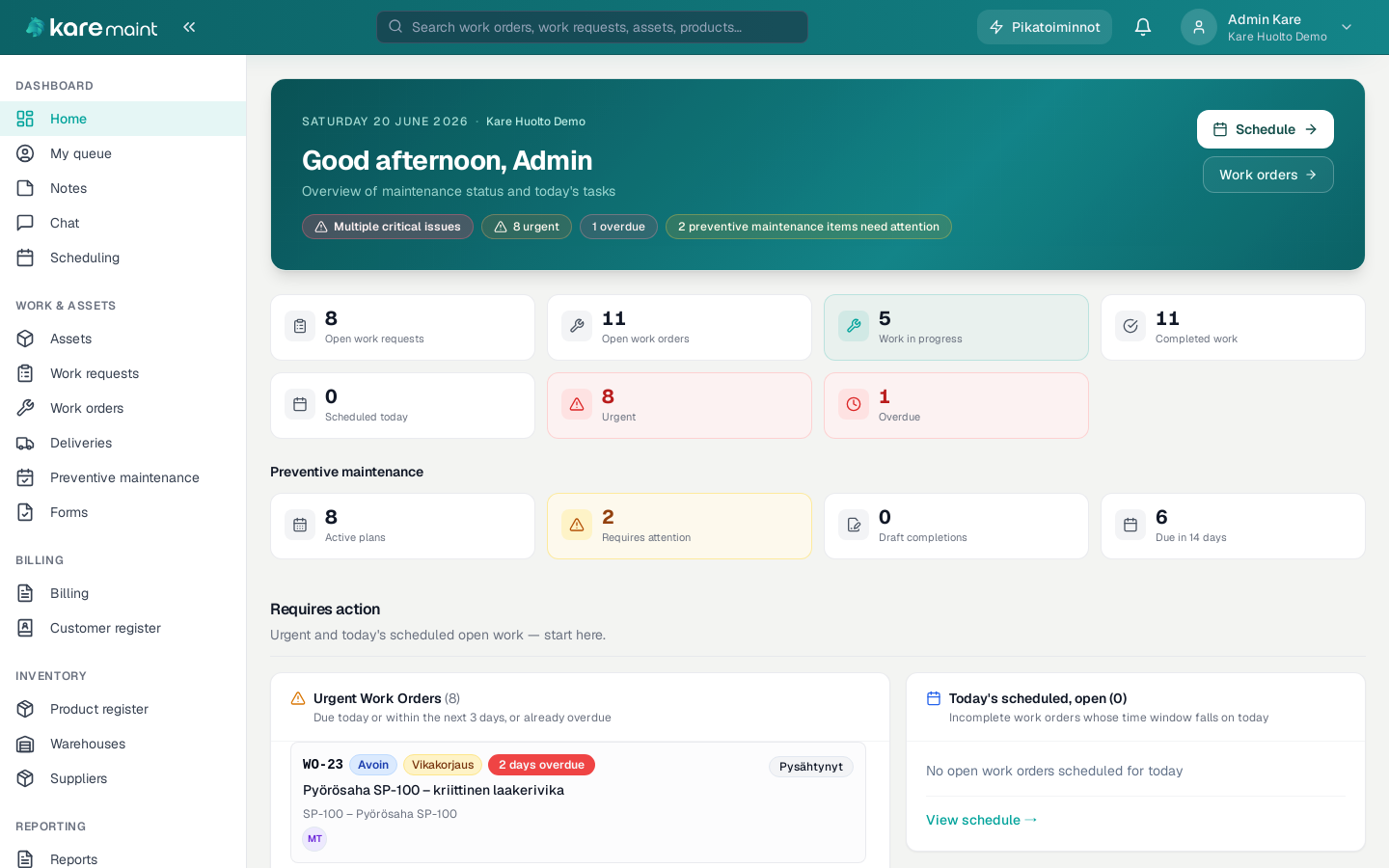
maint.karehub.fi
Kare Maint — dashboard

Dashboard — open tasks, preventive maintenance, and maintenance status at a glance
Kare Digital Kare Maint

Who it is for

For organizations running maintenance and service work

In-house industrial maintenance

For production sites where equipment uptime, preventive maintenance, and fault history must be managed systematically.

  • Preventive maintenance and inspections
  • Asset-specific service history

Service and maintenance companies

For managing customer sites, mobile service work, materials, and billable work.

  • Customers and service sites
  • From work order to billing data

Facility and equipment service

For recurring inspections, fault reports, and distributed maintenance sites.

  • QR codes and mobile use
  • Recurring tasks and responsibilities

Problem it solves

When service work, ownership, and equipment history are spread across different places

Typical current state

  • Work requests come from phone, email, and paper
  • Preventive maintenance lives in calendars, spreadsheets, or memory
  • Ownership and progress are not visible to the full team
  • Fault and service history is difficult to find
  • Spare parts and materials are not linked to completed work

Solution in practice

How maintenance work flows in Kare Maint

1

Receive a work request

Create a work order or receive a request from personnel, a customer, or via a QR link.

2

Prioritize and assign

Define responsibility, urgency, asset, and required resources.

3

Execute and log in the field

Log work, hours, materials, findings, and inspections on a phone.

4

Use history and reporting

Completed work is saved to the asset and forms the basis for tracking and billing.

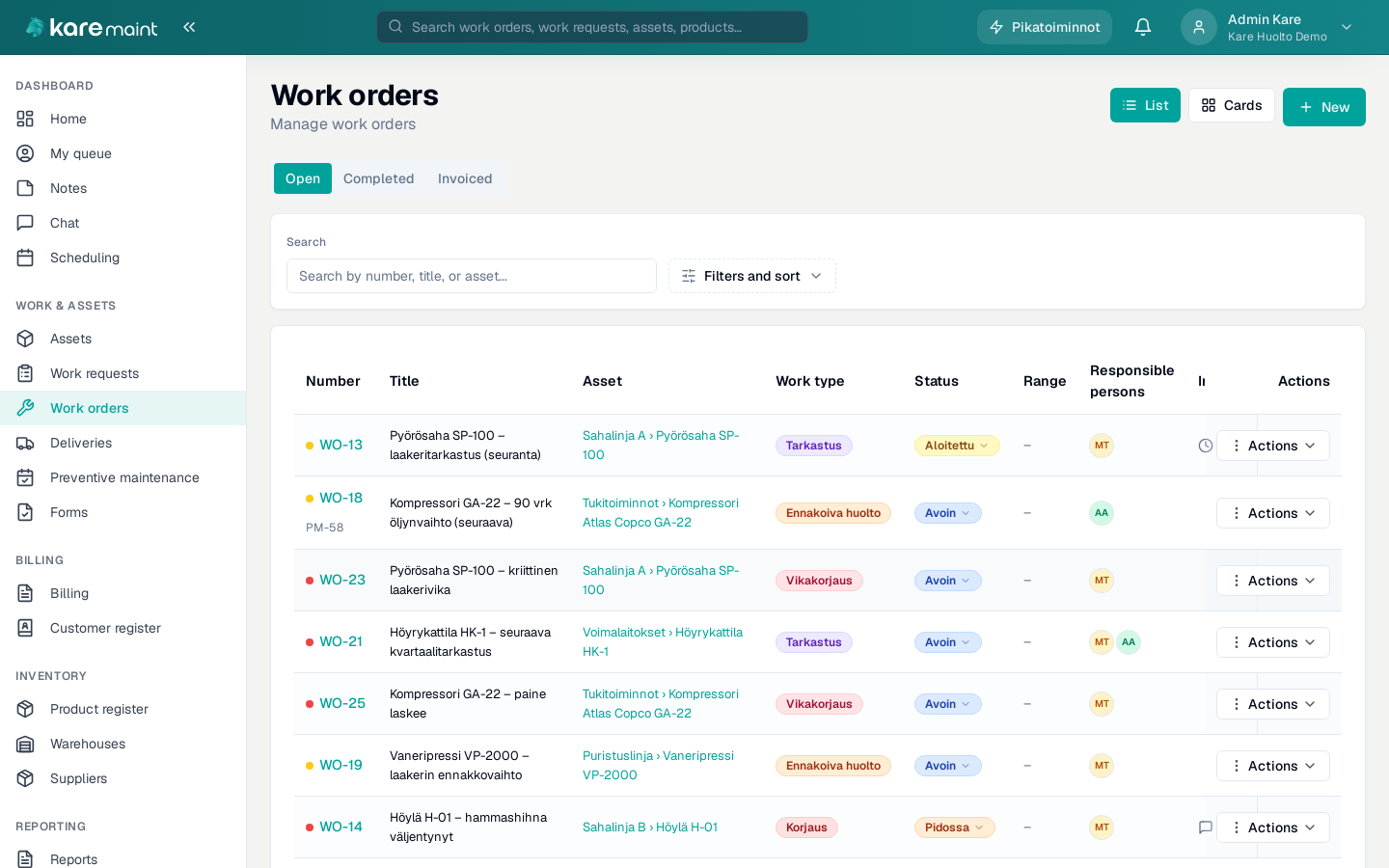
maint.karehub.fi / work orders
Kare Maint — work orders

Work orders — from work request to execution and complete service history

Kare Digital Kare Maint

Features

From daily maintenance work to long-term tracking

Work management

  • Work requests and work orders
  • Work queue, priorities, and responsible persons
  • Work request portal by link
  • Hours, materials, and work statuses

Preventive maintenance and assets

  • Preventive maintenance plans
  • Recurring maintenance and inspections
  • Hierarchical asset registry
  • Asset-specific service and fault history

Spare parts and purchasing

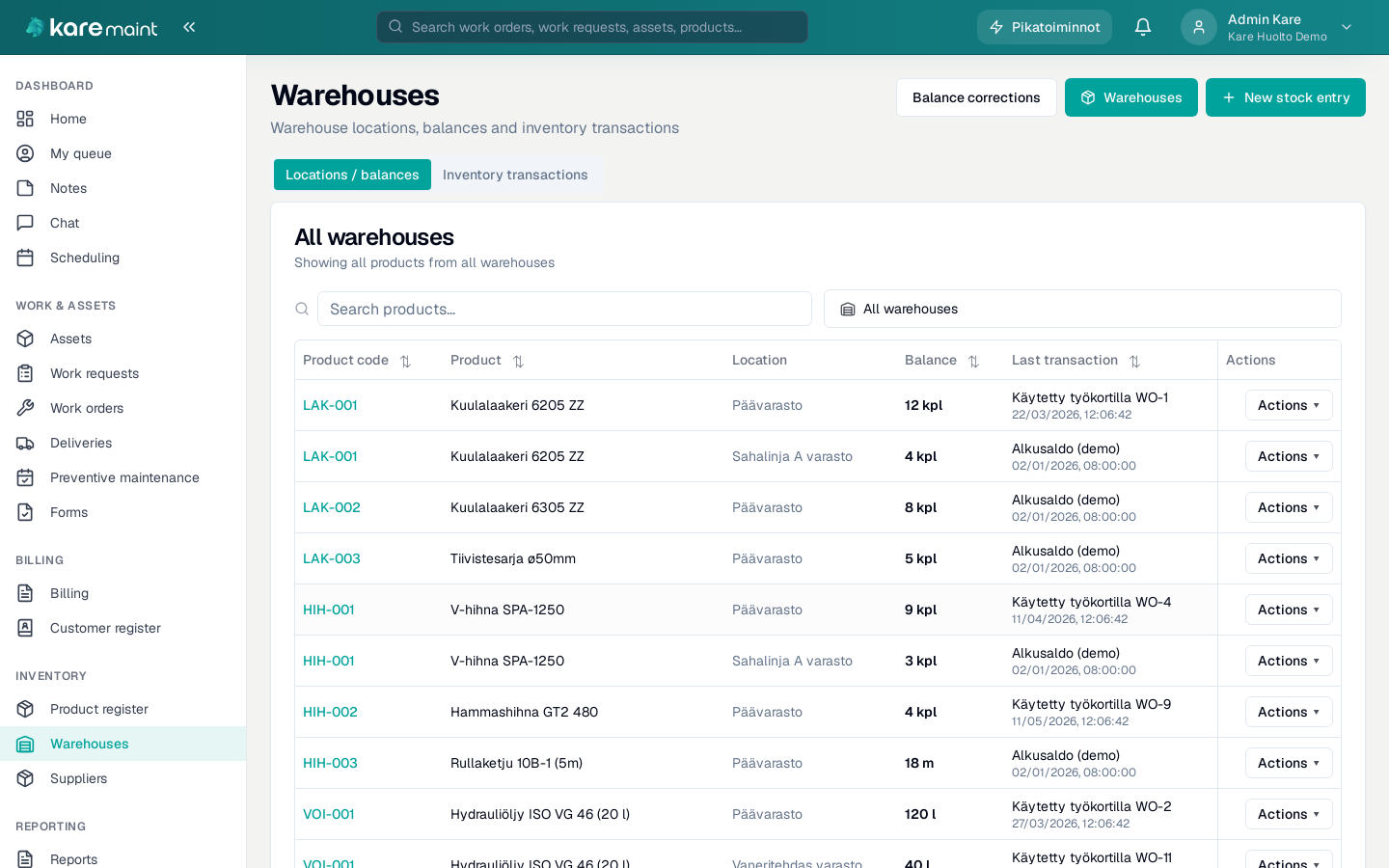
  • Spare-part register and stock balances
  • Storage locations and QR codes
  • Material logs on work orders
  • Replenishment needs, suppliers, and purchase orders

Reporting and customer work

  • Work and maintenance reports
  • Customer and service-site register
  • Billing data for external service operations
  • Mobile use in the field

Why Kare Digital

A maintenance system that adapts to real-world operations

  • Lightweight onboarding without a heavy CMMS implementation project
  • In-house maintenance and external service business in one system
  • Asset, work, and material data can be imported from existing systems
  • Functions can be tailored to match company processes
  • Finnish support and a direct line to the software developer
maint.karehub.fi / warehouses
Kare Maint — warehouses

Comprehensive warehouse management — enabling continuous inventory